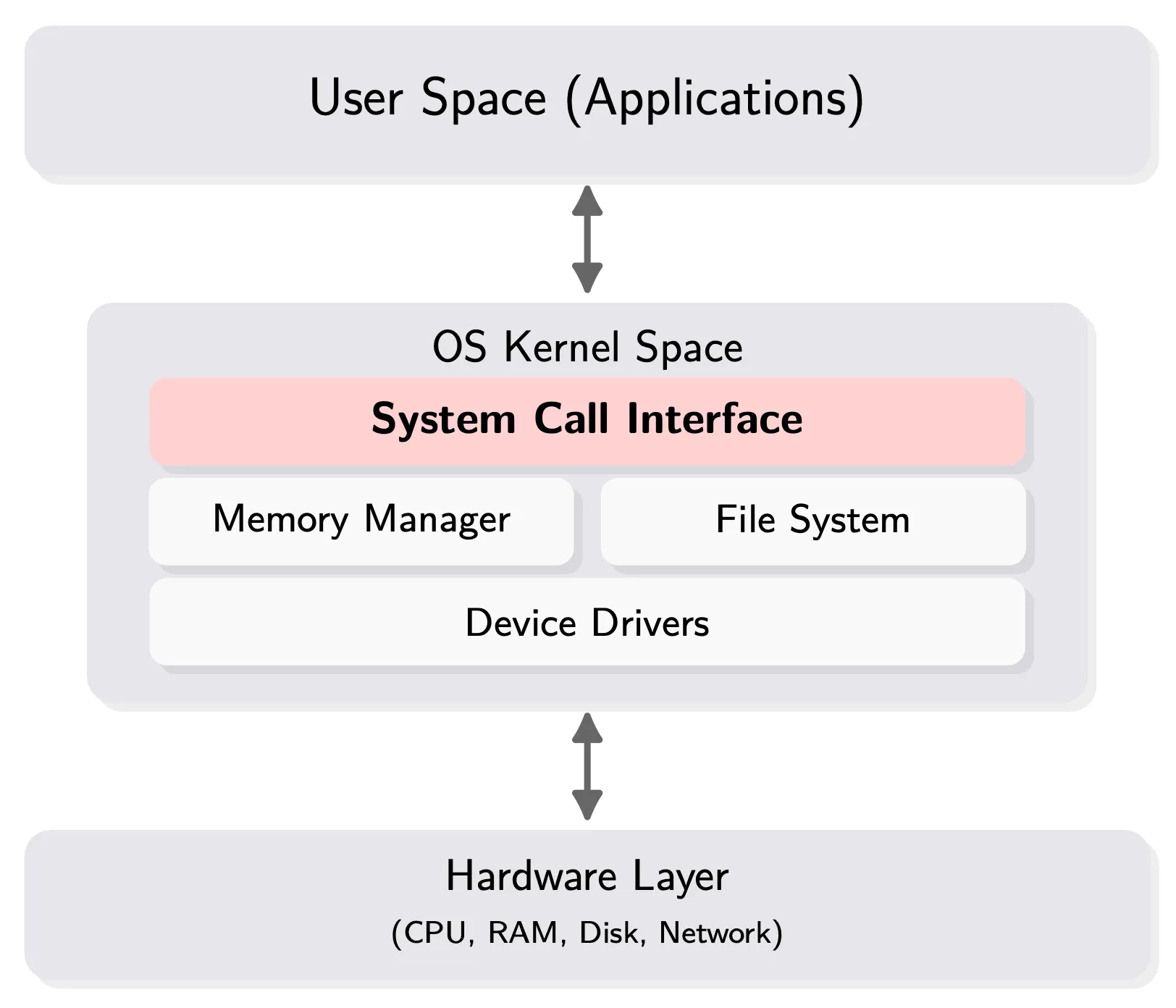
Unbuffered I/O#

UNIX Standardization
- Let every OS can run C language.
- ANSI C (stdio.h, stdlib.h, string.h, math.h, time.h,…)
- Provide portability of conforming C programs to a wide variety of OS’s
- POSIX (unistd.h, pwd.h, dirent.h, grp.h, fcntl.h, …)
- Provide API to let every OS to call system call.

-
Trapping system everytime.
-
Due to the DISK’s (HDD) movement, it will read a “block” which is the cylinder of a section instead of “byte”.

-
For SSD, it have read the data from page to page
- Write Amplification
- 讀寫成本極高
- 速度快


- DISK and Memory are not synchronous(同步)
- We have to use a buffer to cache the using data
- (1)
read()need Context Switch due to DISK movement - (5)
read()don’t need due to the buffer memory
- (1)
(IMPORTANT) Process Structure#

- The buffer of Buffer I/O is the FILE string from C language
- Prefetch: a action due to properties of DISK
- We want data to have locality, we can get things in buffer cache.
- The ORANGE line is the System call
- The term “unbuffered I/O” refers to the lack of automatic buffering in the user process

- The right of line are all Kernel space
- There are some Kernel space at the per-process data structure
- There are Kernel space in the virtual memory
- 盡量避免 DISK I/O
v-node (virtual)
- 其實就是 i-node (index)
- 每個 entry 就是紀錄 i-node
- 一個 process 就佔一格,不管開幾個檔案都只有一個 entry
- file 的 metadata 會放在這裡
Open File table
- 只要開一個檔案,呼叫一次
open(),就會有一個 entry - 同一個檔案開幾次就會有幾個 entry,要記錄每次 open 的屬性
r,w- 雖然一次
open()就佔一格,entry 但因為會有繼承的 Open file Descriptor table 因此才會有多個指向這裡的 entry
- 雖然一次
File Descriptor
- Compile limitation & Run time limitation 記錄在
OPEN_MAX在<limit.h>裡面 - Referenced by the Kernel
- Per-process based
- 重要幾個
0:STDIN_FILENO1:STDOUT_FILENO2:STDERR_FILENO

Metadata
- 紀錄 file permission
Reference Count
- open file table 會有很多 entry 指向同一個 i-node entry,RC 用來記錄有多少指向他
Shell Process 執行
- child process 只會從 fork 後開始執行
$ ./a.out- 此時
$(shell) 為 parent process,./a.out為 child process - child 會繼承 parent 的 Open file Descriptor table
- 所以 child 一開起來就會出現 parent 已有的
0,1,2
- 直到 child process 呼叫
exec()parent process 才會執行
File I/O system call#
open((const char*pathname, int oflag, .../* mode_t mode */))
-
...變動參數,printf()即為典型擁有變動參數的 function -
Path/File name
- Absolute:
/xxx - Relative:
./xxx/xxx(根據現在的 working directory) - Limit
PATH_MAX,NAME_MAX: 給 compiler 看
- Absolute:
-
file access modes
O_RDONLYfor reading only,O_WRONLY,O_RDWR,O_EXEC
-
file creation(根據是否有前面參數)
O_CREAT: 檔案存在就單純 writeO_TRUNC: 檔案存在就 truncate(清空)掉,可以用|跟O_CREAT串接O_EXCL: exclusive: 一定要不存在才 create,不然就失敗
openat(int dirfd, const char*pathname, int oflag, …)
- Atomic Operation
- 不可分割(context switch)的 operation
- 在 context switch 的時候,萬一有 file 被做更動,下一個 process 不一定知道有目錄已經不存在了
dirfd: 相對於哪個 working directory,是個 directory 的 file descriptorAT_FDCWD: Current Working Directory
pathname: 相對路徑,若為絕對路徑則不會用到dirfd- Time-of-check-to-time-of-use (TOCTTOU)
Access mode
- Integrity / Security / Privacy
- Performance:
- 若是
O_RDONLY,則不會改動 disk 上的 block - 對系統來說 buffer cache 有可能會滿,滿了就會踢掉某個 page
- 系統可以用這些資訊進行效能最佳化
- 若是
- 拿到 File Descriptor 後,就不能修改了
Blocking vs. Synchronization#
Blocking / Non-blocking:
- By Default Blocking 是要求全部操作都結束才能 return
- 中間可能發生 Context switch,可能被踢出 CPU
- 系統比較喜歡 non-blocking,可以讓每個 resources 獲得最好的效能
- Non-blocking 是有多少就要求多少,return immediately
Synchronization / Asynchronized IO
- Buffer cache 是否跟 disk 同步
creat(const char* pathname, mode_t mode)
- 其實等於
open(pathname, O_WRONLY | O_CREAT | O_TRUNC, mode) - Only for write-access
- 簡檔後回傳
w的 FD
close(int filedes)
- 記得關檔案
For O_CREAT
- 我們即便
chmod <file> 777也有可能會出問題 $ umask輸出會是 e.g.0022- 第一位是八進制,後面三位是代表權限遮罩,防止 programmer 誤植權限
- 開
0777時會變成0755


off_t lseek(int filedes, off_t offset, int whence):
- current file offset 會記錄在 open file table: number of bytes from the beginning of the file
- 檔案可以 random access 所以讀寫頭要讀 offset
read(),write()會隱藏的動到讀寫頭,所以需要先移動到current file offset位置whence: 相對於哪個位置:SEEK_SET: 檔頭,SEEK_CUR: 目前,SEEK_END: 檔尾
offset: 偏移量,正常通常都正整數- 並未作任何 I/O
- 無法
lseek()到往前 beginning 前面,但可以到 end 之後,甚至可以寫入- 這可能導致,因為寫入時中間有洞,因為
lseek()到 end 後了,所以有可能 「實體大小 < 邏輯大小(ls大小)」 - 給的硬碟空間太,可能造成相反情況「邏輯大小 < 實體大小」
- 這可能導致,因為寫入時中間有洞,因為

- pipe 無法進行
lseek,有些有名稱的 pipe 會以檔案形式呈現

- 用
cat把lseek()一個有洞的檔案補起來了,比有洞的檔案佔了更多的 block
ssize_t read(int filedes, void *buf, size_t nbytes);
nbytes: 讀多少 bytes- 回傳
EOF(0): 讀到 terminal device (line-input), network buffering, record-oriented devices (e.g., tape), signal- system call 到一半可能會遇到 signal 中斷
- 去看
ERRNO知道出什麼錯誤-1: error: 叫你重做一次
ssize_t write(int filedes, const void *buf, size_t nbytes)
write(): 就是寫在 current file offset- 如果有開
O_APPEND就寫在檔尾
Atomic Operation
- 為何不直接執行
lseek()到檔尾寫而要使用O_APPEND? - 萬一出現這種情況就會發生問題

- 藍綠色 Process 的 Open file table 的 current offset 會相同,但藍色 Process 的 current offset 應該要跟綠色同步,不然會覆蓋掉綠色 Process 的
write()
- 藍綠色 Process 的 Open file table 的 current offset 會相同,但藍色 Process 的 current offset 應該要跟綠色同步,不然會覆蓋掉綠色 Process 的
- 考慮下面的程式
if ((fd=open(pathname, O_WRONLY)) < 0)
    if (errno == ENOENT) {
        /* if here is a context switch */
        if ((fd = creat(pathname, mode)) < 0)
            err_sys(“creat err”);
} else err_sys(“open err);- time-to-use 跟 time-to-check 不同時就會出事,context switch 後環境完全不相通
- 資源共享會可能出錯
ssize_t pread(int filedes, void *buf, size_t nbytes, off_t offset);
- 從檔頭指定 offset 開始寫,不因 offset 移動而不一樣
- 讀寫完要保證 current file offset 不移動
- 不會被中斷
dup(int filedes)
- 目的是複製
- 從 0 開始尋找,找到一個空的 entry 指向
filedes
dup2(int filedes, int newfiledes)
- 先進行
close()掉原本的newfiledes,原本的 open file table RC 減一 - 然後把
filedes的 RC 加一
sync(), fsync(), fdatasync()
- Open with
O_DSYNC就不會 delaywrite(),Context swtich 的時候會直接把 kernel buffer 的 i-node table attribute 寫到 DISK i-node 去 - Open with
O_SYNC對 return time 更加嚴格 - Open with
O_RSYNC會在read()的時候進行同步


用 O_SYNC 開檔案會導致時間成本太大,因此通常用下面這些 function
int fsync(int filedes)
- Data + meta data (file attribute) 後 return
int fdatasync(int filedes)
- Only data 後 return
void sync()
- 把 sync 的東西 queue 進去然後 return
- Called by daemon update
- Command 也有一個 sync
int fcntl(int filedes, int cmd, … /* int arg */)
- file control, change the properties
F_DUPFD: 把前者 copy 給後者,後者不可以有必須要是空的dup2()的實作是-
cclose(newfile); fcntl(filedes, F_DUPFD, newfiledes); dup2()一定要是 atomic 因為newfiledes有可能被改動到,否則他就會一直往後找直到有 available
-
F_GETFL,F_SETFL(status flag)- 有些性質是不能改的例如
O_RDONLY,因為會影響到 performance - status flag 會儲存在 open file table
- 有些性質是不能改的例如
F_GETFD,F_SETFD- 只有一個 flag
FD_CLOEXEC代表不執行這個 process,callexec()的時候就關掉 fd - 會存在 fd 裡面
- 只有一個 flag
_GETOWN,F_SETOWN
int ioctl(int filedes, int request, ...)
fcntl()複雜度遠低於ioctl(),但ioctl()常用於網路,很強大
/dev/fd/n
- 可以存取第
n個 fd - 每個 process 的這個檔案不壹樣,因為 fd table 獨立
- 對於同一個檔案第二次的
open()就是進行dup(),因此第二次開啟的權限一定比第一次還低,若高於則會被忽略fd = open(“/dev/fd/0”,mode)等價fd = dup(0)
I/O Efficiency#
- 理論上 Buffer Cache 開的很大,我們就可以大幅減少 Data 移動的時間
- User CPU time 可以無限下降
- System CPU 只有算
read()搬動的時間,從 kernel 到 獲得資料- 理論上我只要把這個 buffer 宣告的超大,我也可以搬動次數超級少
- 但最大是 Disk block size,因為 random access 只保證 block 內的檔案連續,並不保證同檔案連續 
Read ahead#

- Unix system 會先偷偷幫你讀一點資料
- 如果 process 是 sequential 的讀一個 byte 資料,那系統會先 prefetch 一個 block.
- 一個一個 byte 讀出來,有些 OS 會先幫你把下一個 block 讀出 DISK
- 如果 Buffer size 太大了,做 read ahead 的時間就被稀釋了

- 這次把
write()真正做出來 O_SYNC會導致 DISK I/O 大量增加 clock time 會大幅增加
Back to the content
NTU PJ System Programming
2025 Fall
← Back to the content